Stocka receives goods, picks orders and counts inventory by scanning with your phone camera, and applies it in your Odoo. Without buying any device and without needing signal in the aisle.
The Odoo connector is free. The app is licensed per device, with a 7-day trial.
What today gets written on paper and typed in later: receiving what arrives, picking what goes out and counting what is there.
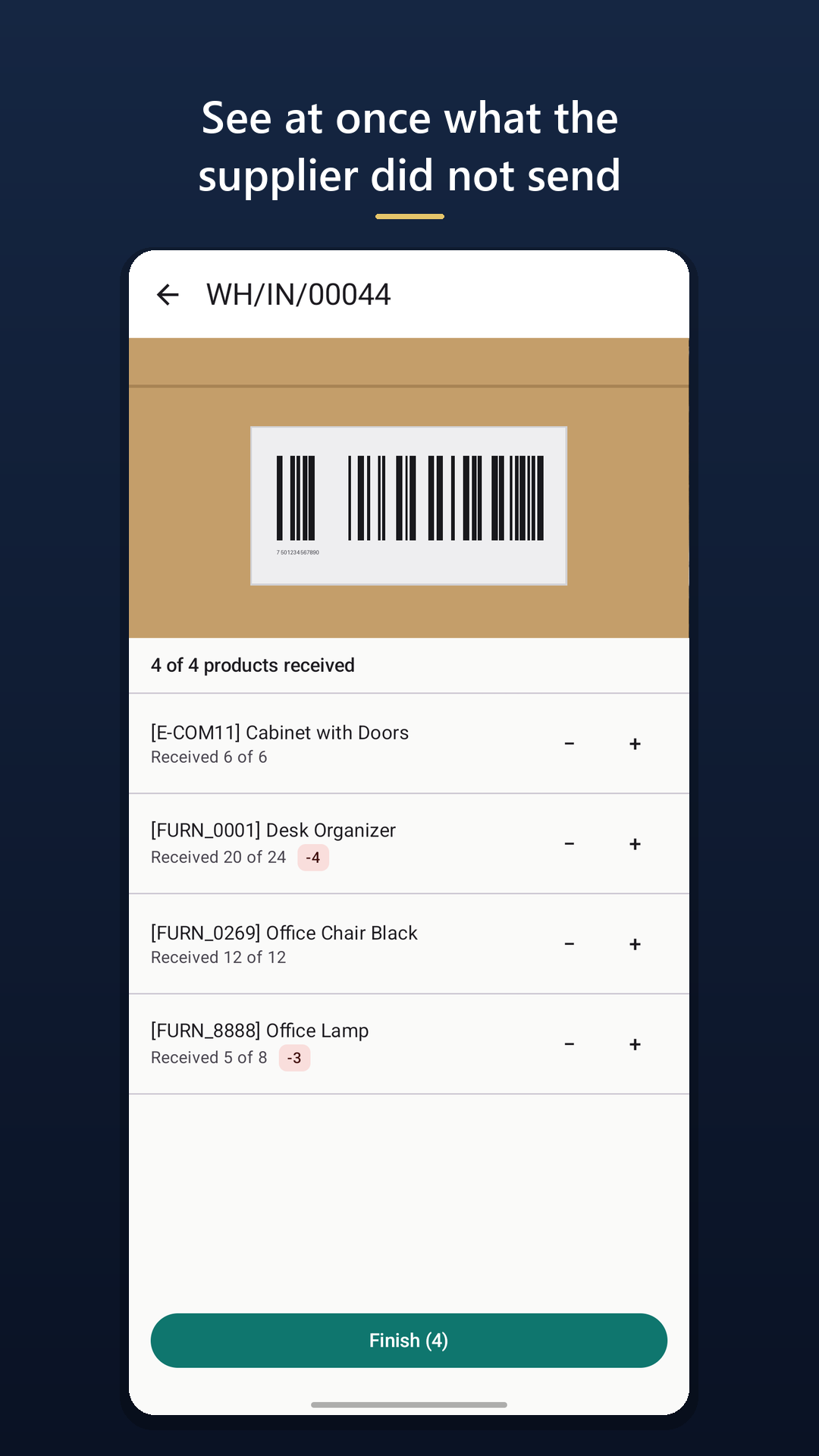
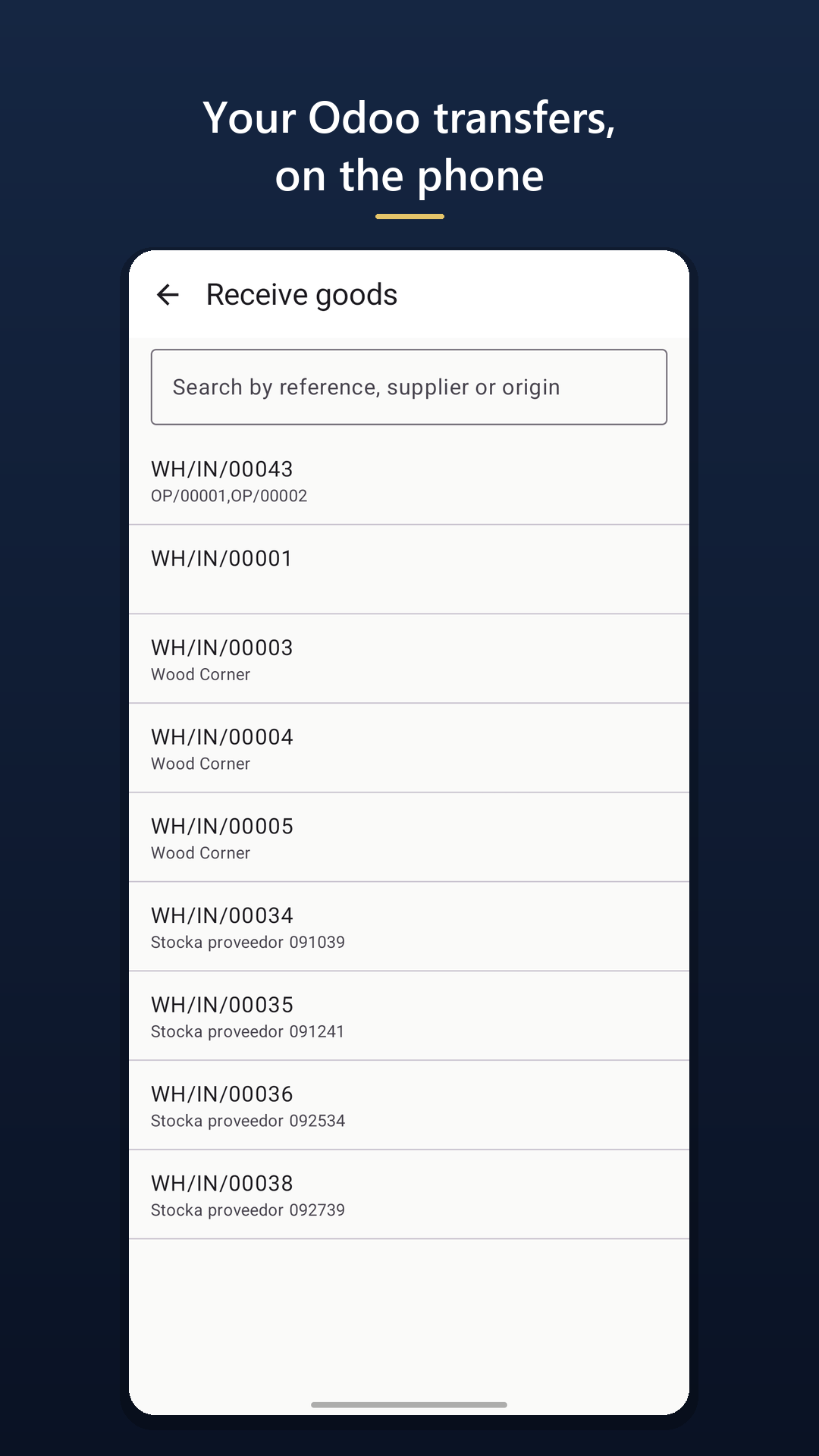
Open the incoming transfer and scan what comes off the truck. The app tallies against what was ordered and shows you at once what is missing — which is the number that matters. If something came short, you decide: leave it pending or close it.
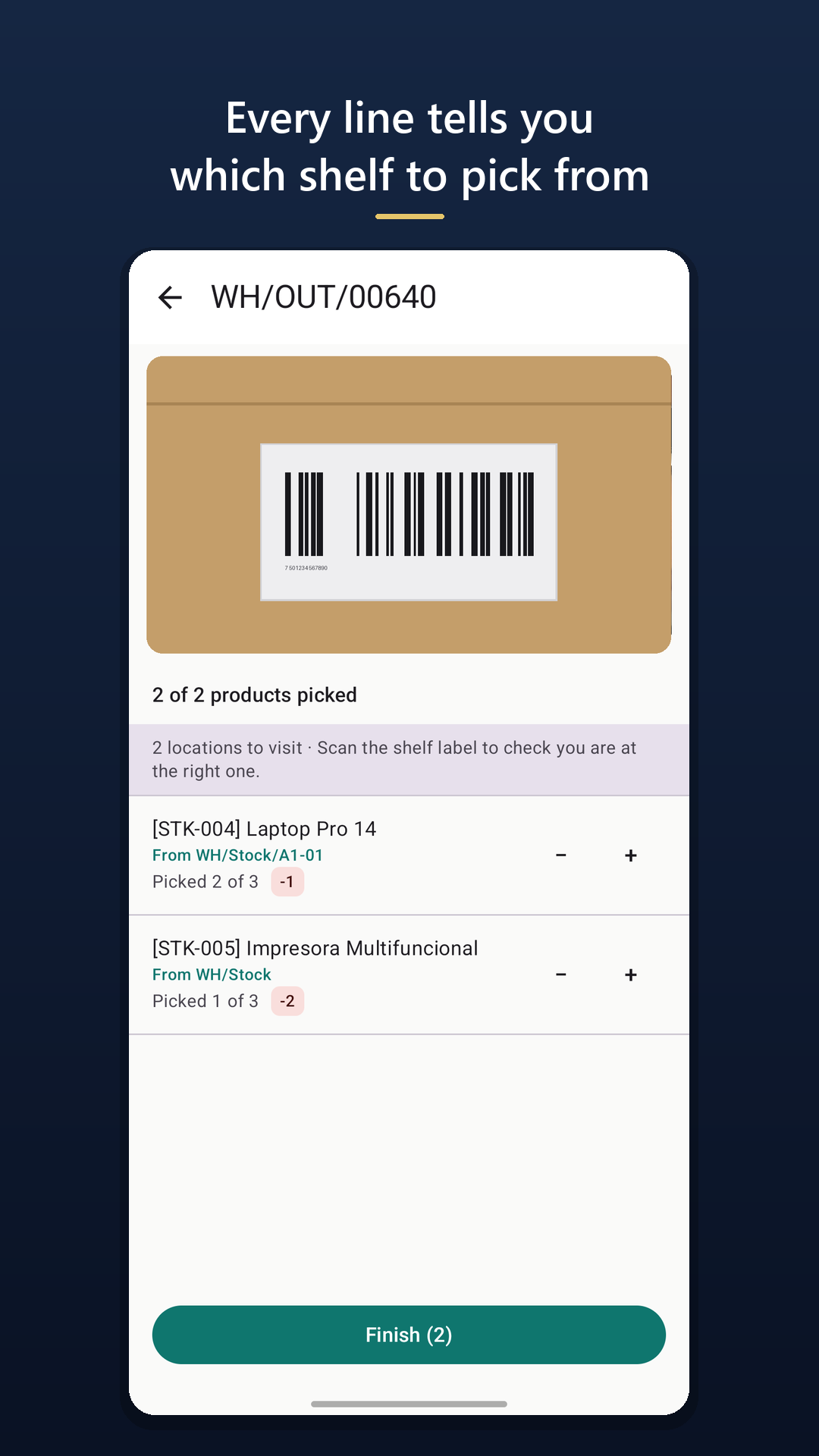
Open the order and every line tells you which shelf to pick from — not “the warehouse”. If Odoo already reserved the stock you see the reserved location; if it did not, the app looks up where the units actually are. Scan the shelf label and it warns you if the item you are picking belongs somewhere else.
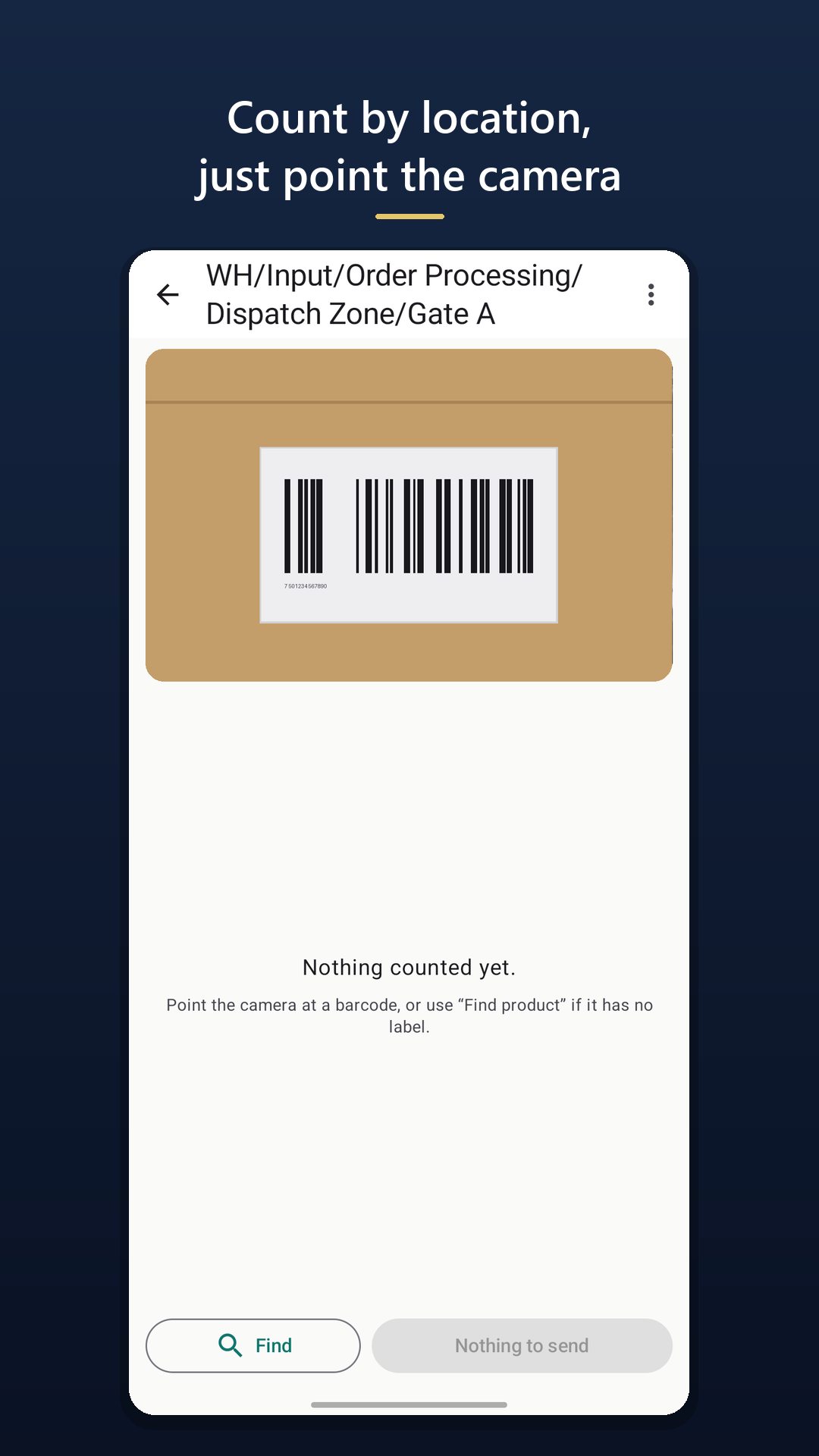
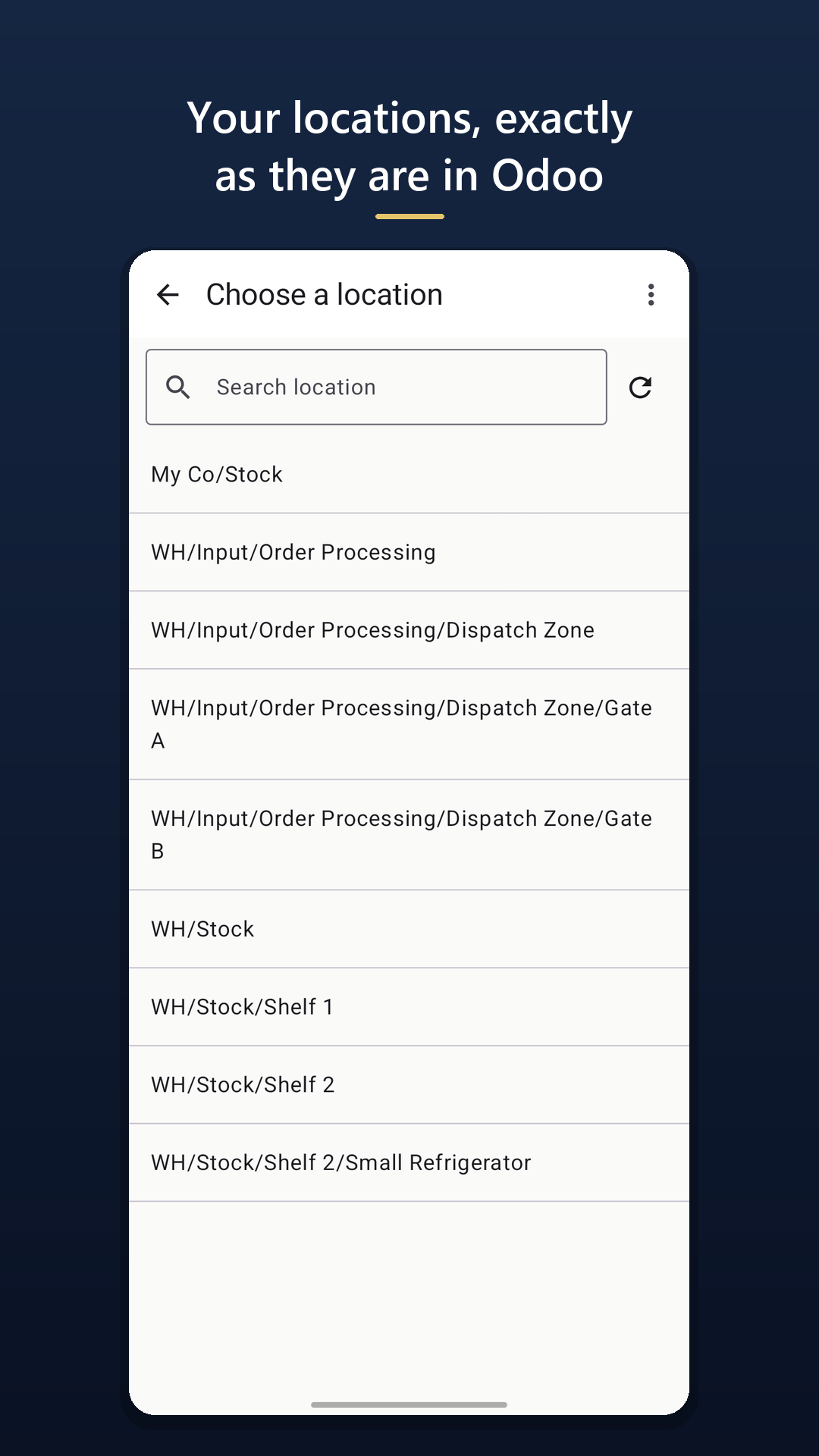
Pick a location, point the camera at each label and review the differences before applying the adjustment in Odoo. Nothing happens behind your back: you see the gap and you decide.
A barcode scanner costs from twenty dollars and is, deep down, a keyboard: it types the number and its job ends there. You still need something that knows which transfer it belongs to, counts it and applies it in Odoo. In Odoo Community that does not come included — which is why the count ends up on a printed sheet.
Three copies of the same figure between the aisle and Odoo.
Three copies by hand = three chances to get it wrong.
The figure is captured once, where it happens.
One single capture, nothing typed twice.
And if that aisle has no signal, it makes no difference: what you scanned is kept on the phone and goes out on its own when the connection is back.
A free module for Odoo 16 to 19, Community and Enterprise. It installs like any other and does not touch your data model.
Odoo shows a code; the app reads it and it is connected. No typing addresses or passwords on a touch keyboard inside a warehouse.
Pick the transfer or the location and point the camera. When you are done, review the differences and apply them in Odoo.
Use the arrows or swipe with your finger
Scanning is the easy part. What sinks a warehouse app is everything else: the signal that never arrives, the phone that dies mid-count and the adjustment that gets applied twice.
The job's catalogue downloads when you open it, so scanning never queries the server. What you capture is saved on the phone and sent on its own when the connection returns. In a warehouse with concrete walls this is not an extra, it is the product.
Every operation carries a unique id generated on the phone. If the request lands but the reply is lost, the retry is recognised and dropped. An adjustment applied twice is the worst possible failure here, and it is closed by design.
The app connects as the user who scanned the QR and sees exactly what that user would see inside Odoo. It is not a back door: whoever cannot touch a location in Odoo cannot touch it from the phone either.
The phone talks straight to your Odoo. We never see your inventory, your products or your figures — not even in transit. It works the same if your Odoo is on-premise and never exposed to the internet.
| Barcode scanner | Rugged terminal | Stocka | |
|---|---|---|---|
| What it costs | $10–30 the generic import; $190–360 a branded one in a shop | Several hundred per unit | The phone they already carry |
| What it solves | Turns the code into text. Nothing else: it is a keyboard | Reads, and brings its own software if you pay for it separately | Receives, picks, moves and counts against the transfer, and applies it in Odoo |
| Scanning speed | Very fast | The fastest, no argument | Enough to receive, pick and count by location |
| If it breaks | Another $20 scanner | The warehouse stops until it is replaced | Any other phone will do |
Being honest: a physical scanner reads faster than a camera, and a Zebra also survives drops. If you already own a Bluetooth scanner, use it with Stocka — the app also takes what it types. And if your warehouse moves thousands of lines a day, buy the terminal. Stocka is for whoever counts on paper today because between the aisle and Odoo there is nothing.
The Odoo connector is free. You pay per device that uses the app, and you only take out the number you need.
A phone that stops being used frees its licence on its own, after a month without connecting.
Rather see it before touching your Odoo? Install the app and tap «Try it with sample data»: you receive, pick and count on a demo Odoo, with no step 1 and without touching yours. It lasts a day.
Once the app is paired to your Odoo. We confirm which instance it is before charging you anything.
The Stocka app shows it on the phone, once connected to your Odoo.
Is this your Odoo?
Cancel your subscription or change the card yourself, from the billing portal.
Cannot remember which email you paid with? Write to us and we will look.
No, as long as the phone is on the same network as the server. The app connects straight to your Odoo, so it only needs to reach it from where the work happens. An on-premise Odoo that never goes online works just the same.
Nothing is lost. What you scanned lives on the phone from the very first code, not in memory. Open the app again and the count or the receipt carries on where it was.
They can be searched and counted by hand from the app itself. Plenty of small businesses —exactly the ones who cannot afford a terminal— have no labels, so this is not an add-on: without it the app would be useless.
Yes. Open the delivery order and scan what goes out, with the source shelf on every line. It also does internal transfers between locations and customer returns: once you create the return in Odoo it shows up under «Receive goods» like any other incoming transfer. What Stocka does not do yet is manufacturing or packing: if you need either, write to us — what people ask for is exactly what decides what gets built next.
With Odoo 16, 17, 18 and 19. The difference is your edition: on Community, Odoo ships no barcode app at all — that is exactly what Stocka gives you. On Enterprise you already have Odoo's Barcode app, which also scans with the camera; there Stocka brings something else: actually working with no signal, because Barcode is a web app and needs the server to validate. On a version older than 16, write to us and we will have a look.
Yes, in two ways. The quick one: open the app and tap «Try it with sample data» — it connects to a demo Odoo and you receive, pick and count for real, without touching yours or installing anything. It lasts a day. And when you want to see it on your own stock, the trial is seven full days with no card, on up to two phones: enough to receive a couple of transfers and count several locations, which is what it takes to decide.
Every phone that connects takes one licence. If you change phone or reinstall, the previous one's slot frees itself after a month unused — you are not left paying for a phone that no longer exists.
Install the connector, scan the QR and do a real receipt. In fifteen minutes you will know whether it is any use — and if it is not, you have lost fifteen minutes.
Download on Google Play Aski
Aski